
AI form builder
AI Form Builder on FormConnect ProMax
Describe the form you need, generate a draft layout, refine with follow-up prompts, then finish in the visual Form Builder. This page documents what FormConnections shows in the FormConnect ProMax product tour — without ranking claims or unverified accuracy promises.
In short
FormConnect ProMax includes AI-assisted form creation: you describe the form, generate a draft structure, optionally refine it with follow-up prompts, then review and edit in the Form Builder before collecting data.
- Best for
- Teams on FormConnect ProMax who want a faster starting layout for inspections, work orders, or intake forms — then finish the design manually.
- Platforms
- AI form generation is documented on FormConnect ProMax. Form design platforms for FormConnect ProMax include iPad, iPhone, Mac, and PC. Collection includes supported platforms (Android is fill-only).
- Offline
- AI generation requires connectivity while you generate or refine. After a form is saved, field users can still complete records offline on supported devices, then sync or export when online.
- Exports
- Export completed records as PDF, CSV, XML, HTML, or FMC. Share via email or cloud drives (Dropbox, Box, Google Drive, OneDrive) depending on edition.
What is an AI form builder?
An AI form builder helps you create digital form layouts from a written description instead of placing every field manually from a blank page. In FormConnect ProMax, that means AI-assisted drafting and refinement inside the same Form Builder used for templates and hand-built forms.
Best for: FormConnect ProMax teams that want a faster first draft for recurring operational forms, then a human pass for labels, required fields, and evidence capture before rollout.
What FormConnect’s AI form builder does
-
1. Prompt-to-draft form creation
You describe the form you need and choose Generate Form. FormConnect ProMax drafts a structure — fields and pages — inside the Form Builder so you are not starting from a blank canvas.
-
2. Follow-up refinement
After the first draft, you can enter another prompt in AI Assistant and send a refinement. The layout updates from that instruction so you can iterate without rebuilding every field by hand.
-
3. Human review in the visual builder
AI output is a starting point. You still name the form, inspect field types and layout, and save when the design matches your process — the same drag-and-drop builder used for manual design.
-
4. One of several creation paths
FormConnect ProMax also supports sample templates, manual drag-and-drop design, and importing existing .fmc forms. AI is optional, not the only way to build forms.
How AI form creation works in FormConnect ProMax
Steps below match the Product Tour’s “AI Generated Form” path.
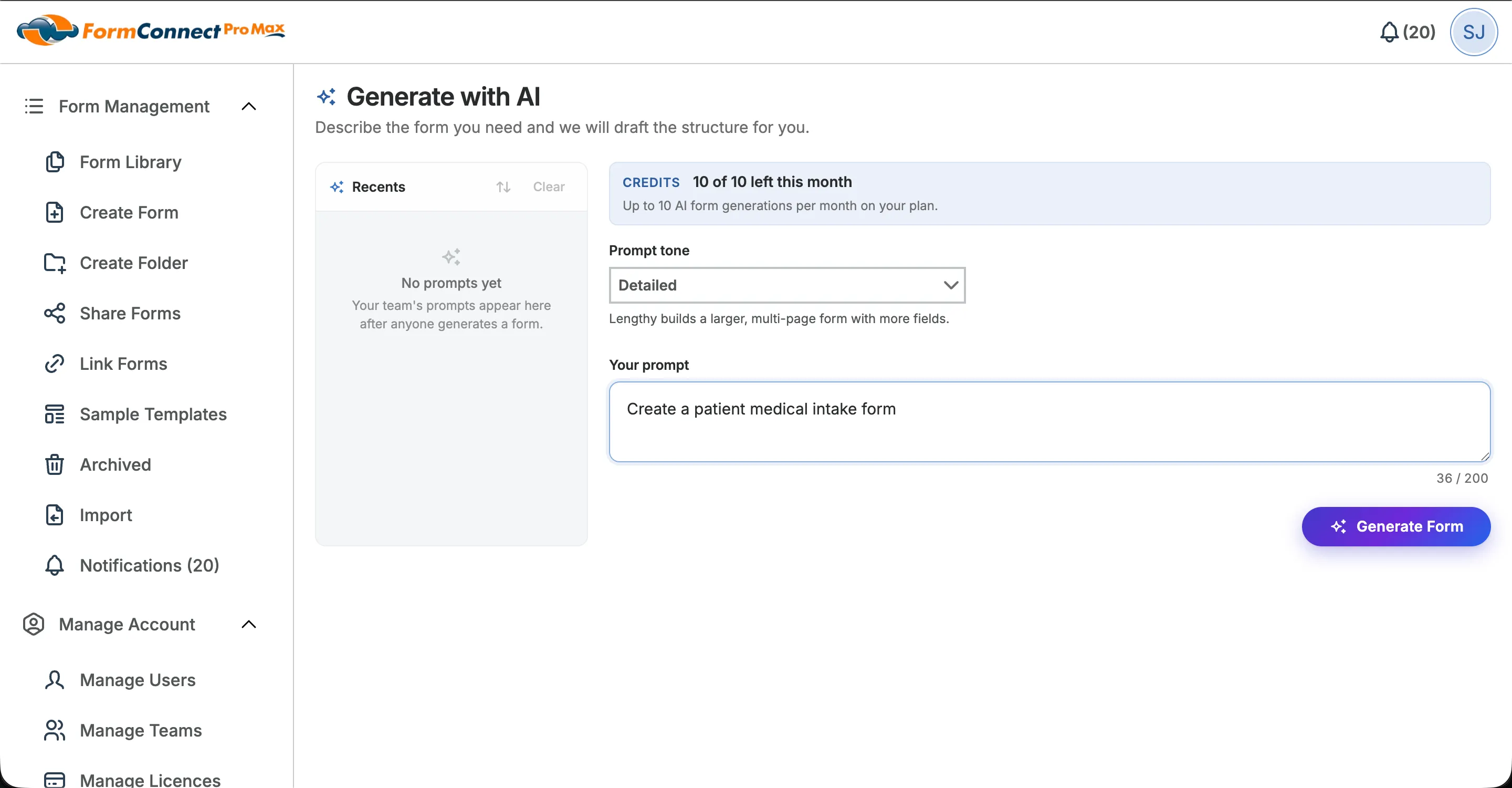
Step 1: Describe the form
Open AI form creation in FormConnect ProMax and describe what you need — for example an inspection checklist, service work order, or intake packet. Then choose Generate Form.
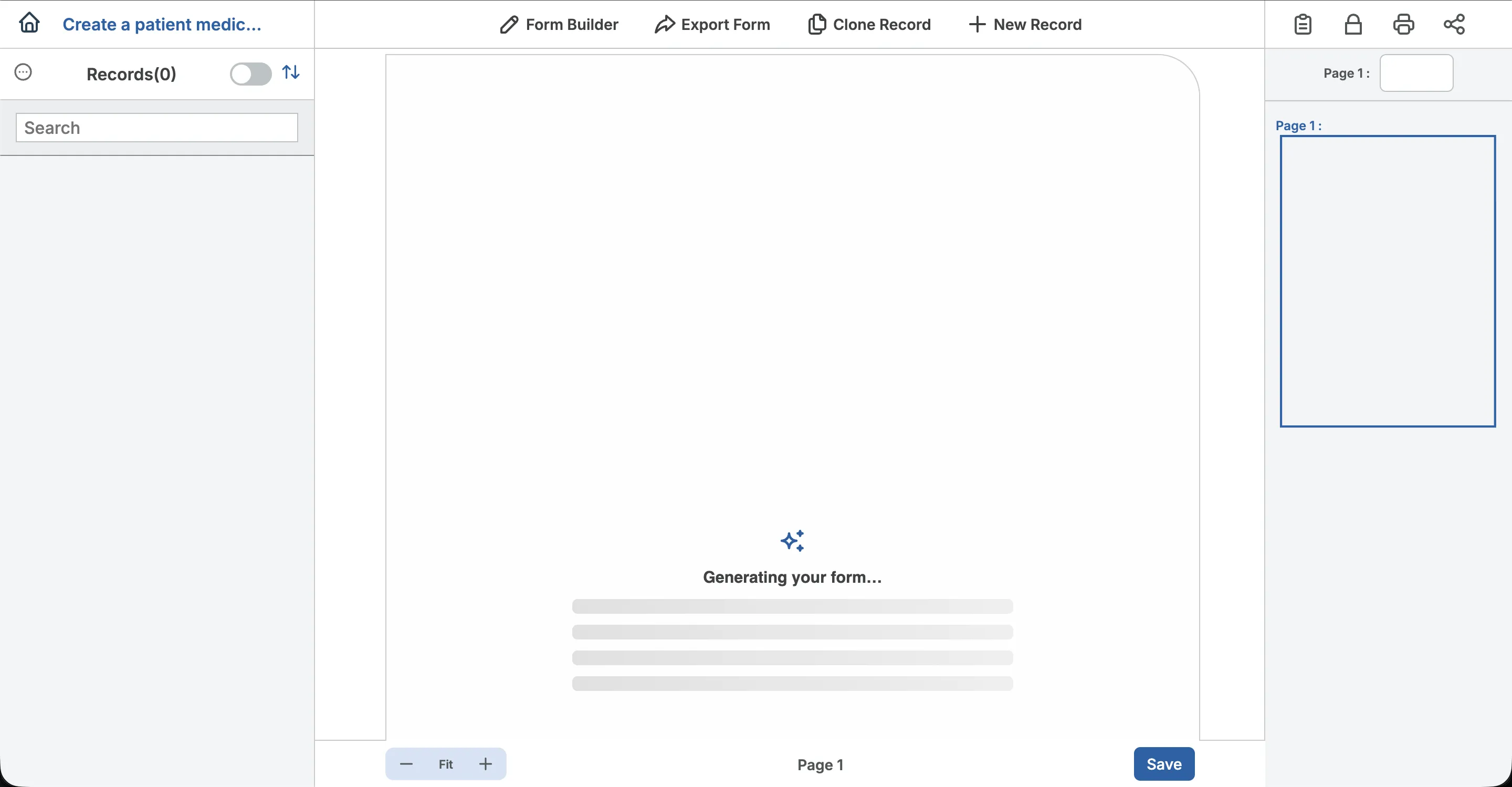
Step 2: Wait for the draft
While generation runs, FormConnect ProMax builds a draft in the Form Builder. Fields and pages are proposed automatically; you wait until the draft is ready to review.
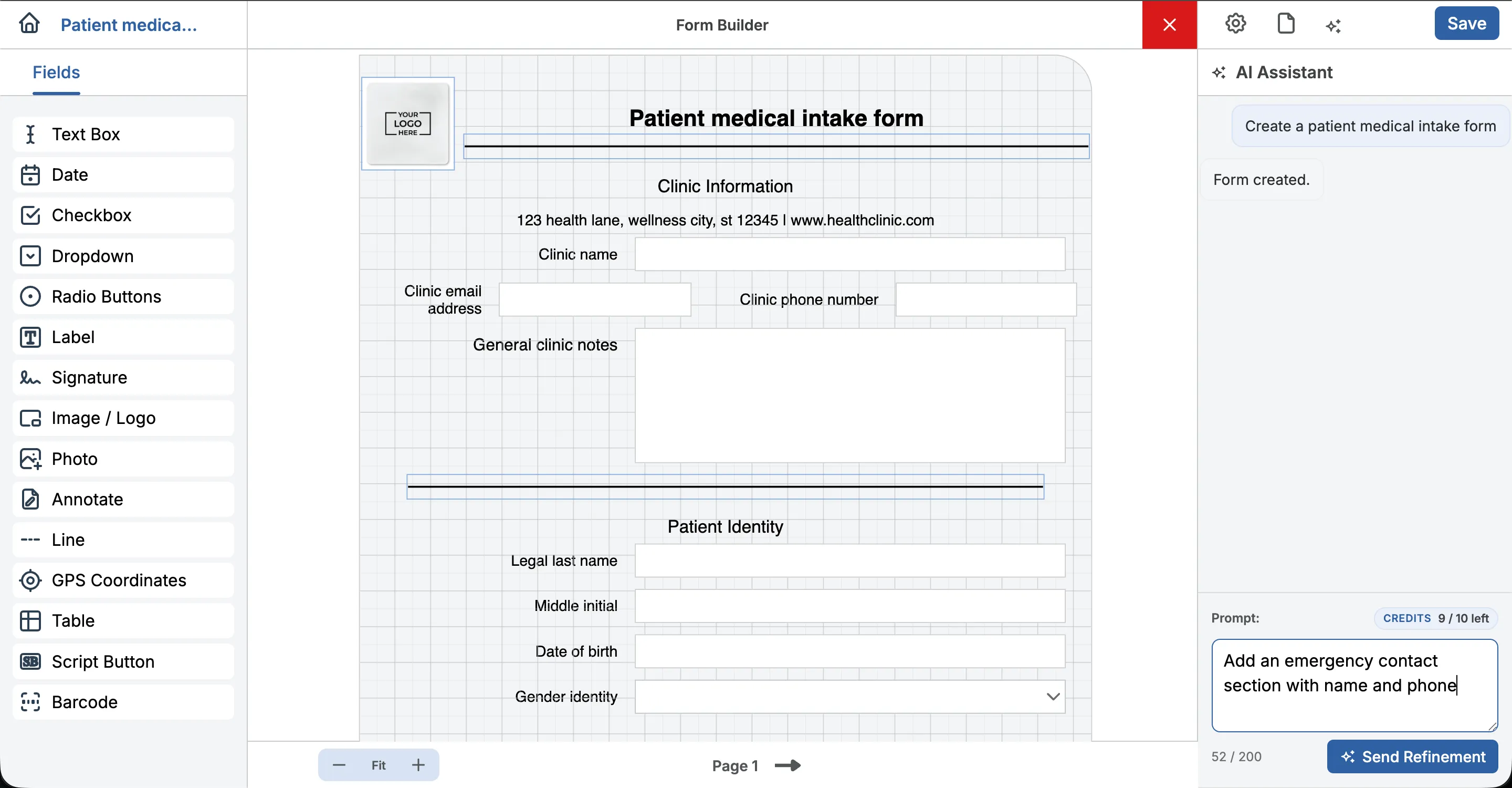
Step 3: Refine with a follow-up prompt
If the draft is incomplete or wrong for your process, use AI Assistant, enter a refinement, and send it. FormConnect ProMax applies the update to the current form.
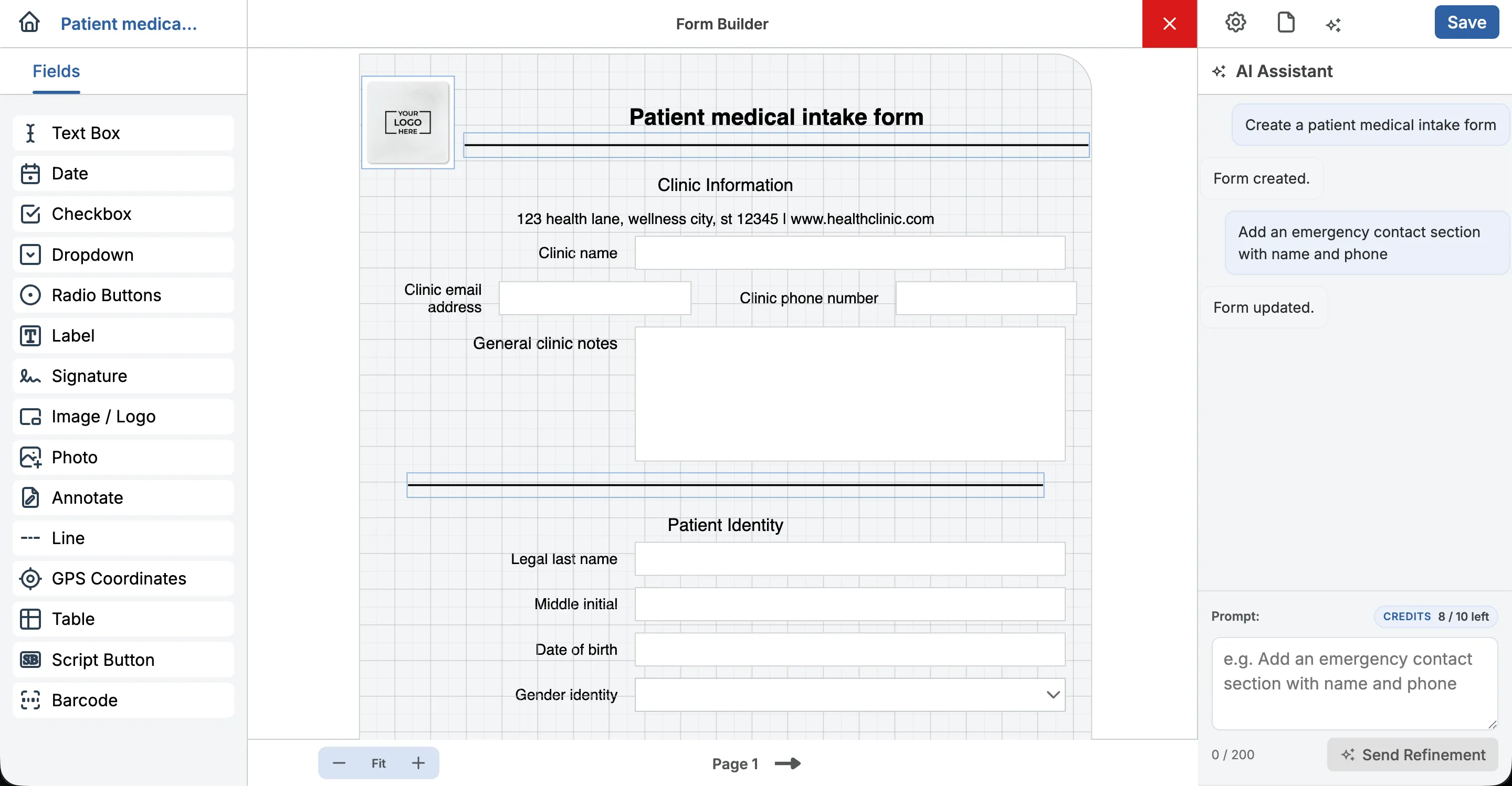
Step 4: Review, adjust, and save
Confirm the updated layout, make any manual edits in the builder, then save. From there you collect records the same way as with any other FormConnect form.
Practical use cases
Inspection checklists
Start from a plain-language description of rooms, systems, or safety items, then add photos, signatures, and required fields in the builder before publishing to the field.
Field service work orders
Draft sections for job details, parts, photos, and customer sign-off faster, then align labels with your existing paperwork or CRM handoff.
Intake and consent packets
Generate a first pass of demographic and consent sections, then tighten wording and signature placement for your clinic or office workflow.
Internal ops forms
Spin up audit, handover, or daily log layouts when a template does not already exist — still verify every field before crew rollout.
Limits and requirements (read before buying)
-
FormConnect ProMax only
Site capability matrices list AI form generation on FormConnect ProMax ($25/user/year), not on FormConnect Pro ($17.99 one-time) or FormConnect Pro+ ($20/year).
-
Drafts need review
Generated forms are starting points. Field labels, required fields, page order, and evidence fields (photos, signatures, GPS where your edition supports them) should be checked before production use.
-
Generation needs connectivity
Creating or refining with AI requires an online session. Offline capture applies to filling saved forms on supported devices — not to running AI generation without internet.
-
Not a substitute for process design
AI does not replace deciding what your organization must capture for compliance, billing, or safety. Subject-matter owners should approve the final template.
-
Not claimed as fully autonomous design
FormConnections documents AI-assisted creation and refinement in the product tour — not unattended publishing, auto-compliance certification, or guaranteed perfect layouts.
AI vs templates vs manual vs import
| Creation path | Best when | Notes |
|---|---|---|
| AI generate + refine | You need a first draft quickly and will edit in the builder | FormConnect ProMax; online while generating |
| Sample templates | An industry starter form is close enough to customize | Faster when a template already matches |
| Manual drag-and-drop | Layout precision and field placement must be exact from the start | Full control; more setup time |
| Import .fmc | You already have FormConnect forms to move into FormConnect ProMax | Supported transfer format in the tour |
FAQ
What is FormConnect’s AI form builder?
On FormConnect ProMax, it is AI-assisted form creation: you describe a form, generate a draft structure in the Form Builder, optionally refine it with follow-up prompts, then review and save before collecting data.
Which edition includes AI form generation?
FormConnect ProMax. Published capability comparisons on this site list AI form generation for FormConnect ProMax, not for FormConnect Pro or FormConnect Pro+.
Can I edit an AI-generated form by hand?
Yes. After generation or refinement, you use the same visual Form Builder to rearrange fields, change types, add pages, and save — the same workflow as manual design.
Does AI form generation work offline?
No. Generating and refining with AI requires connectivity. Once a form is saved, completing records offline on supported devices remains part of FormConnect’s field workflow.
Is AI the only way to create forms in FormConnect ProMax?
No. FormConnect ProMax also supports sample templates, manual drag-and-drop design, and importing .fmc forms. Choose the path that fits the job.
How do I see AI form creation in the product?
Use the interactive Product Tour (AI Generated Form branch) or request a demo. Pricing for FormConnect ProMax is listed on the pricing page at $25 per user per year.
Next steps
Compare FormConnect ProMax pricing, walk the AI branch of the product tour, or book a demo if you want to see generation on your own checklist language.