
offline forms app
Offline Forms for Field Work
Build once, collect anywhere — even without cell service. FormConnect keeps inspections, work orders, and checklists working offline on mobile devices.
In short
FormConnect is an offline forms app for designing digital forms and capturing field data without internet — then syncing or exporting when you reconnect.
- Best for
- Mobile professionals who fill forms throughout the day and often lack a reliable internet connection.
- Platforms
- iPad, iPhone, Android Phones & Tablets, PC, Mac.
- Offline
- Access forms offline for filling; sync or export when you regain internet.
- Exports
- Export completed records as PDF, CSV, XML, HTML, or FMC. Share via email or cloud drives (Dropbox, Box, Google Drive, OneDrive) depending on edition.
What is a offline forms app?
An offline forms app lets you design digital forms and complete them on a mobile device without an internet connection, then sync or export records when connectivity returns.
Best for: Inspectors, field technicians, and mobile workers who cannot rely on constant connectivity.
A day without signal
Maya, a utility inspector, spends mornings in basement vaults and rural substations where cellular drops to zero. She still needs complete inspection packets before she leaves each site.
- She opens a FormConnect inspection form already on her iPad — no download required on site.
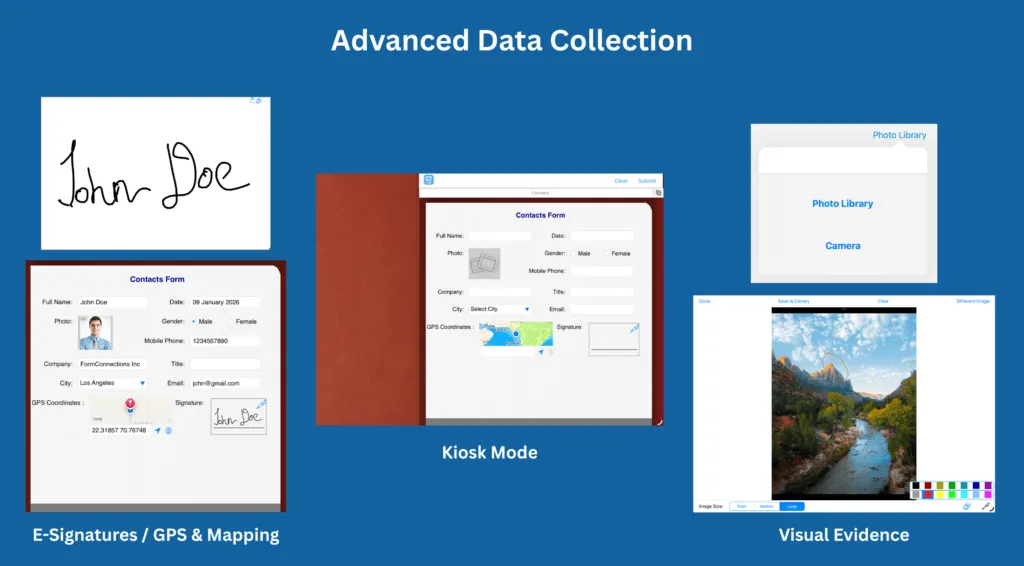
- She fills checklist items, snaps annotated photos, and captures a supervisor signature while offline.
- Back at the truck with signal, she exports a PDF for the customer or syncs the record (FormConnect Pro+ / FormConnect ProMax) so the office sees it immediately.
Why always-online form tools break in the field
- Cloud-only form tools fail in basements, rural sites, and facilities with poor signal — mid-form freezes lose work.
- Paper backups create a second process: retyping notes later introduces errors and delays billing.
- Teams that mix online and offline tools never know whether a record is complete until someone is back at a desk.
How FormConnect keeps forms working offline
- Forms and prior records live on the device so capture continues without Wi-Fi or cellular.
- Photos, signatures, and required fields stay on the same offline record — no camera-roll scavenger hunt later.
- When connectivity returns: FormConnect Pro exports manually; FormConnect Pro+ adds iCloud; FormConnect ProMax adds server-backed team sync.
Offline capture capabilities
True offline capture
Fill forms, attach photos, and capture signatures without waiting on Wi-Fi or cellular.
Reconnect on your schedule
Sync or export only when you choose — work is not blocked by a missing connection.
Export-ready records
Share PDF reports or CSV/XML data with customers and back-office systems.
Scale from solo to crew
Start with FormConnect Pro for one user, upgrade to FormConnect Pro+ for Apple sync, or FormConnect ProMax for multi-user dispatch.
Editions that prioritize offline work
-
FormConnect Pro
Best solo offline start: iPad & iPhone, one-time $17.99 — no subscription required.
View product → -
FormConnect Pro+
Offline capture plus Mac & iCloud when you reconnect — $20/year.
View product → -
FormConnect ProMax
Crews that collect offline and sync to a shared server — $25/user/year.
View product →
FAQ
Does FormConnect work completely offline?
Yes. Offline forms are core to FormConnect. Users can complete inspections and mobile forms without internet, then sync or export when connectivity is restored.
What happens to data entered while offline?
Records stay on the device until you export (FormConnect Pro) or sync (FormConnect Pro+/FormConnect ProMax). Nothing requires a live connection to finish a form.
Which edition is best as an offline forms app?
Solo Apple users often start with FormConnect Pro ($17.99 one-time) or FormConnect Pro+ ($20/year with Mac and iCloud). Multi-user field teams typically choose FormConnect ProMax ($25/user/year) for server sync and dispatch.
Can I export offline forms as PDFs?
Yes. Completed records can be exported as PDF, CSV, XML, HTML, or FMC and shared by email or cloud drive depending on your edition.