
iPad form builder
iPad Form Builder
Design polished forms on the iPad you already carry — then fill them in the field with photos, signatures, and offline support.
In short
FormConnect is an iPad form builder for designing digital forms and collecting data on iPad and iPhone — including offline capture, photos, signatures, and PDF export.
- Best for
- Professionals who want to design and fill forms on iPad without depending on a desktop-only builder.
- Platforms
- Primary: iPad and iPhone (FormConnect Pro). FormConnect Pro+ adds Mac. FormConnect ProMax adds PC design and Android collection (fill only).
- Offline
- Yes — offline forms and field data collection are core. Complete forms without internet, then sync or export when connectivity returns.
- Exports
- Export completed records as PDF, CSV, XML, HTML, or FMC. Share via email or cloud drives (Dropbox, Box, Google Drive, OneDrive) depending on edition.
What is a iPad form builder?
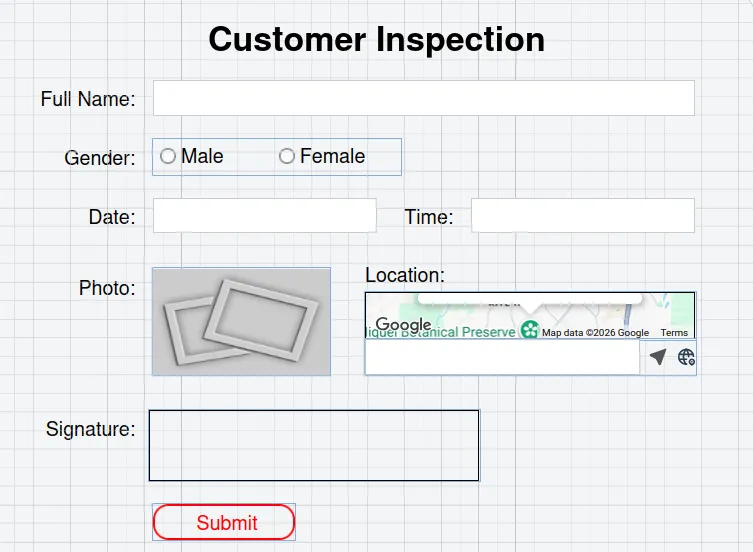
An iPad form builder is software that lets you design digital forms on iPad — placing fields, photos, and signature areas — then collect completed records on the same device or shared devices.
Best for: Home inspectors, clinicians, and field pros who prefer iPad as their primary work device.
Iterate a form between two client visits
Sam is a home inspector. Between morning and afternoon appointments he needs to tweak a room checklist — not drive back to a laptop.
- On iPad, he opens the FormConnect builder, adds a photo annotation field, and clones a room section.
- At the next property he fills the updated form offline, captures signatures, and emails a PDF from the device.
- If he later wants Mac desk work, FormConnect Pro+ adds iCloud; teams that also need PC design choose FormConnect ProMax.
Why desktop-only builders slow iPad work
- Desktop-only form tools are awkward when your real work happens on iPad between appointments.
- Generic survey apps lack layout control for professional inspection-style multi-page forms.
- Switching between design on a laptop and capture on a tablet slows iteration and invites version mistakes.
Design and collect on the same iPad
- Design forms with drag-and-drop on iPad (and iPhone); FormConnect Pro+ adds Mac; FormConnect ProMax adds PC when needed.
- Collect on the same Apple devices with offline support — no separate “field app” required for FormConnect Pro/FormConnect Pro+.
- Export customer-ready PDFs or structured data files directly from the iPad.
iPad-native form building
Drag-and-drop design
Place and size fields, clone elements, and build multi-page forms without code.
iPad-native capture
Photos, ink annotation, and signatures fit how inspectors and technicians work on tablet.
Offline on site
Complete forms in homes, job sites, and facilities without relying on Wi-Fi.
Apple ecosystem options
Stay on iPad/iPhone with FormConnect Pro, or add Mac sync with FormConnect Pro+ when you also work at a desk.
Apple-first editions (and when to add PC)
FAQ
Can I design forms directly on an iPad?
Yes. FormConnect Pro and FormConnect Pro+ include drag-and-drop form design on iPad and iPhone. FormConnect ProMax also supports design on Mac or PC.
Do I need a computer to use FormConnect as an iPad form builder?
No for FormConnect Pro and FormConnect Pro+ — design and collect on Apple mobile devices. FormConnect Pro+ optionally adds Mac. A computer is only required if you choose FormConnect ProMax PC design.
Can clients sign forms on the iPad?
Yes. Signature capture is supported so customers can sign service reports, consents, or inspection acknowledgements on device.
Which plan is best for solo iPad users?
Most solo iPad users start with FormConnect Pro ($17.99 one-time) or FormConnect Pro+ ($20/year) if they want Mac support, iCloud sync, and SmartForm automation.